Calendar
Add a configurable calendar system with Discord notifications.
🗓️ Calendar for Azuriom
Create and manage community events, tournaments, activities, maintenance windows, and more with a flexible calendar that integrates with your Azuriom theme.
🚀 Main Features
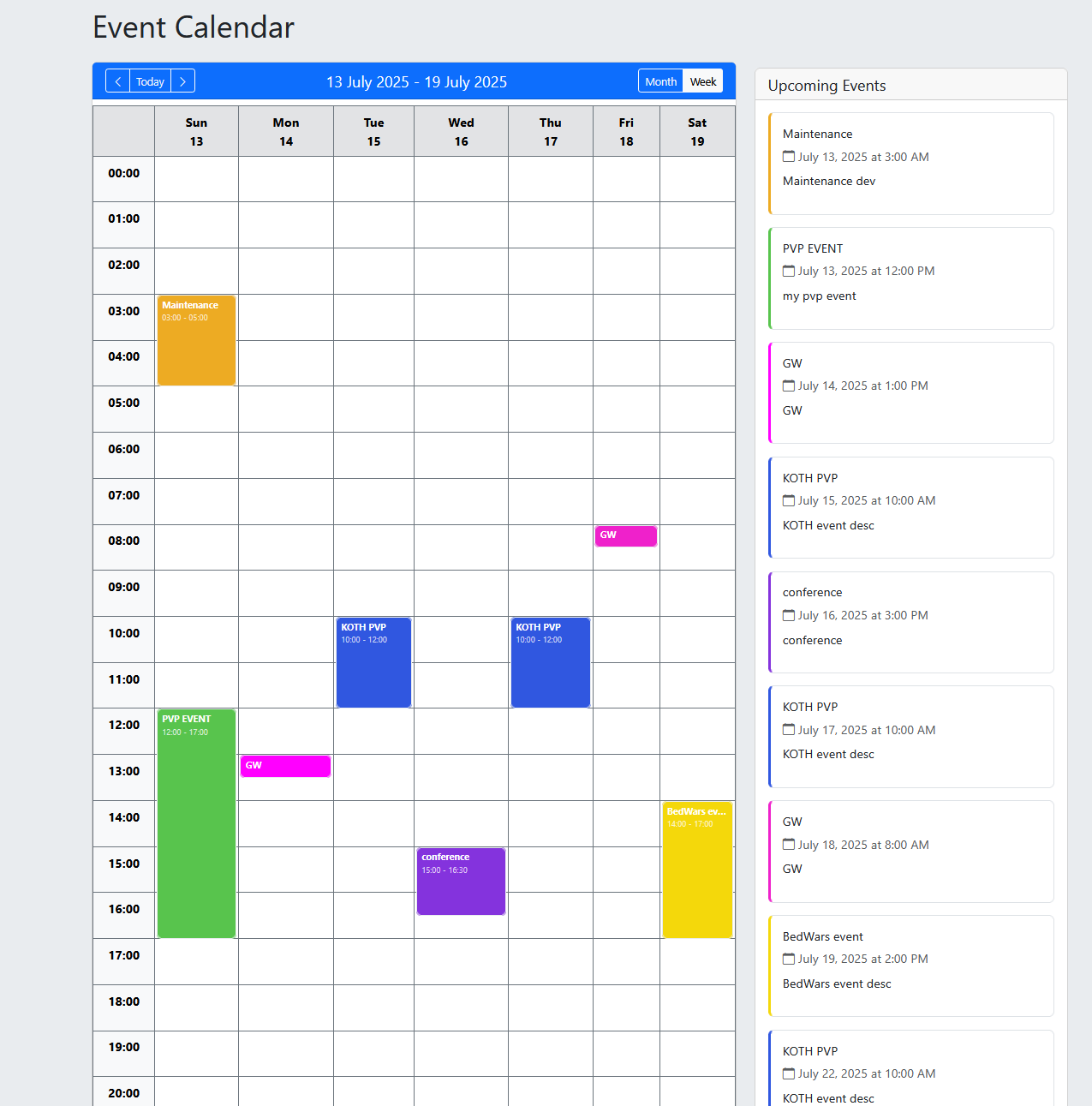
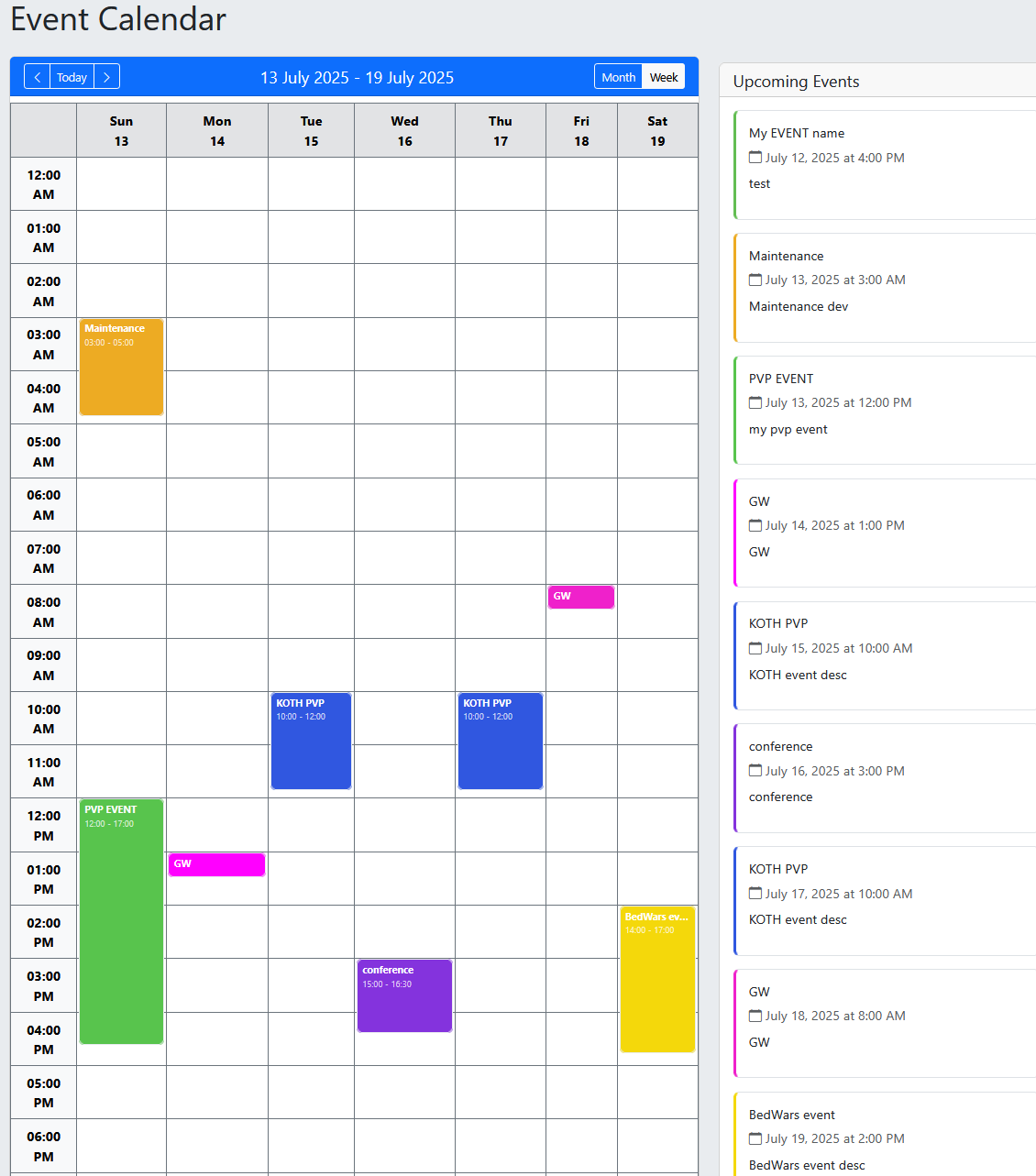
- 📆 Three calendar views: Month, Week, and a mobile-friendly Agenda.
- 🌍 Website timezone support with consistent event times for visitors.
- 🕒 Localized dates and 12-hour or 24-hour time display.
- 🎨 Custom event colors to make your calendar easy to read.
- 📅 Support for single-day and multi-day events.
- 🖱️ Compact, scrollable panels that keep busy calendars manageable.
- 🎯 Automatic focus on today, unless a specific date or event is selected.
- 🌐 English, French, and Spanish translations included.
🔗 Share Events & Add Them to Your Calendar
Make your events easier to discover and share:
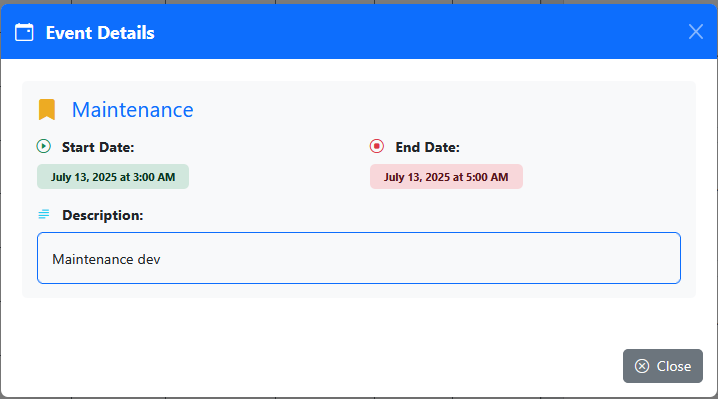
- Direct event links that automatically open the event details.
- Copy link button with confirmation.
- Add to my calendar button to download an
.icsfile. - Individual links and exports for specific recurring occurrences.
Only publicly visible events can be shared or exported.
🏷️ Categories & Custom Action Buttons
Organize your calendar around your community’s needs:
- Add an optional category: Community, Tournament, Maintenance, Activity…
- Reuse existing categories through suggestions in the administration.
- Filter events by category across Month, Week, Agenda, and event lists.
- Add an optional custom action button to each event.
Example actions:
📝 Register for an event
📜 Read the rules
💬 Join Discord
🔗 Learn more
Action buttons support HTTP/HTTPS links and customizable labels.
📱 A Mobile-Friendly Agenda
Browse events in a clear list grouped by day.
- See event titles, times, colors, and categories.
- Open event details with a tap.
- Follow events that span several days.
- Keep navigation controls visible while scrolling.
- Jump straight to today when opening the calendar.
Small screens use the Agenda view by default, with Month and Week still available.
🔁 One-Time or Recurring Events
Schedule events based on your needs:
🔸 One-time events, lasting one or several days
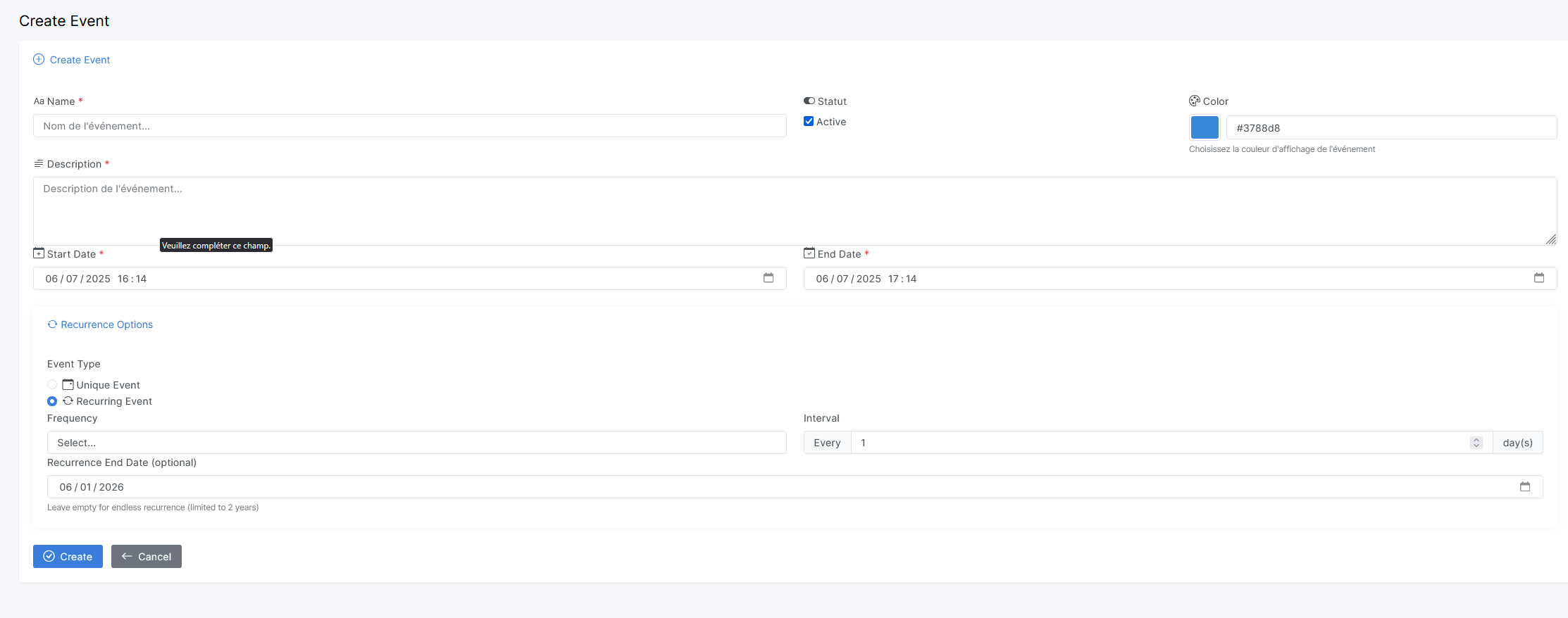
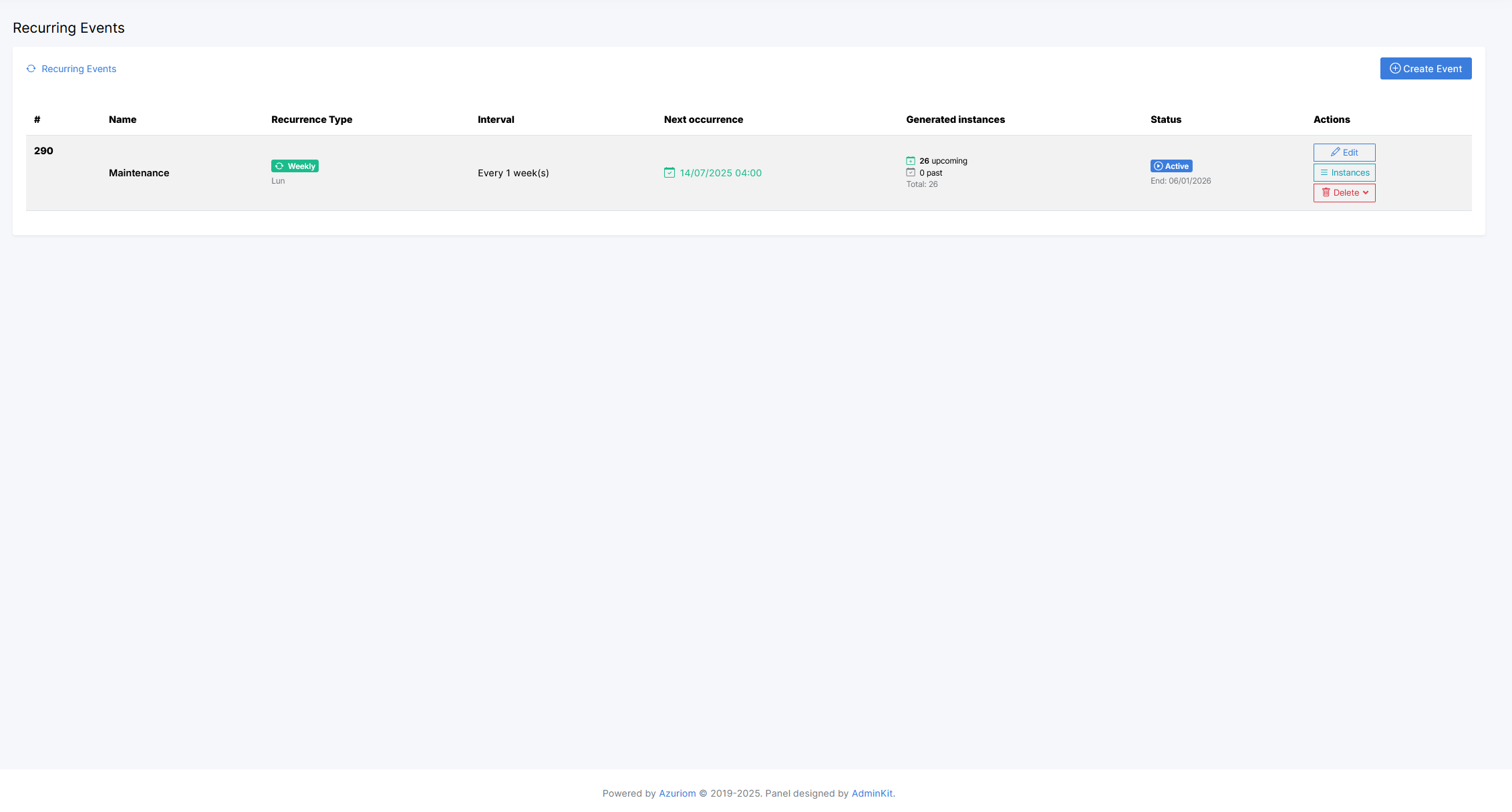
🔄 Recurring events: daily, weekly, monthly, or yearly
Configure recurrence intervals, weekdays, and an optional end date.
Generated occurrences inherit the event’s category, action button, color, and visibility. Edit an individual occurrence or update the series while preserving past occurrences and their reminder history.
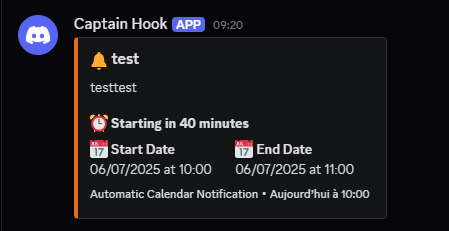
🔔 Discord Webhook Notifications
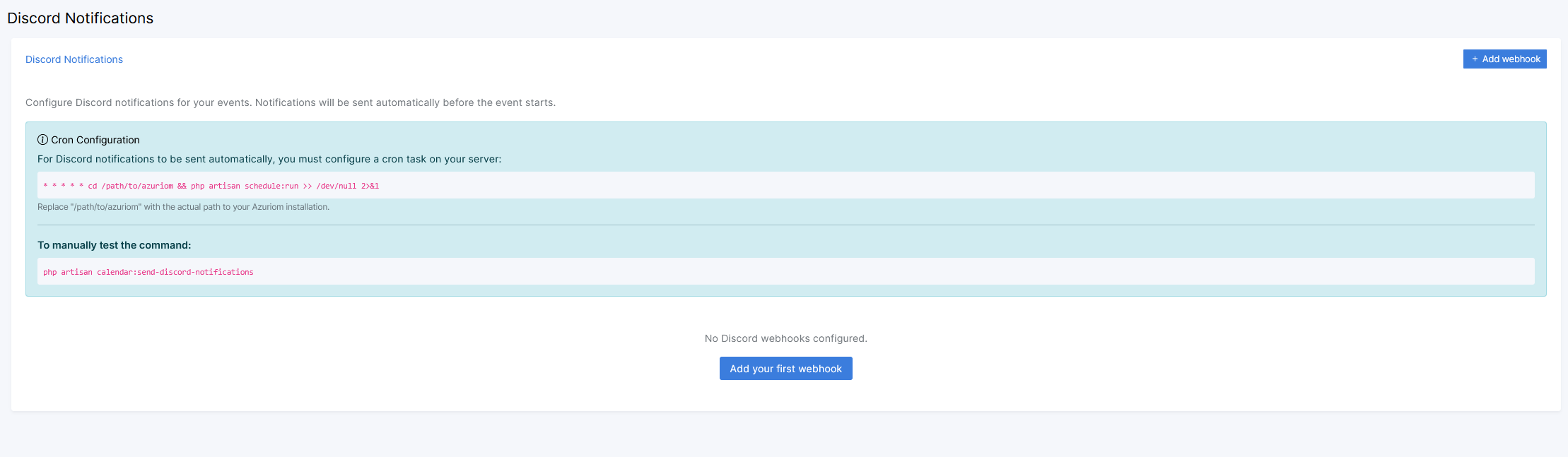
Send automatic reminders to your Discord server before an event starts.
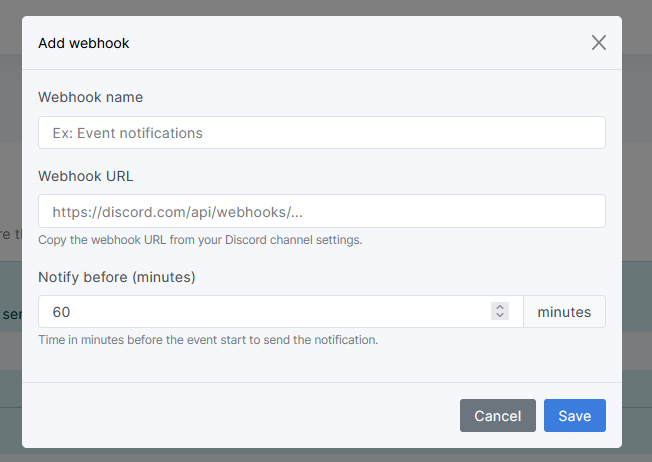
- Configure multiple webhooks with recognizable names.
- Choose the reminder lead time.
- Optionally mention @here or @everyone.
- Test your webhooks and trigger reminder checks manually.
- Automatically exclude disabled events.
- Avoid sending another reminder after a successful delivery.
📋 Reminder History
Track delivery directly from the administration:
- Event and webhook name.
- Attempt date and time.
- Success or failure status.
- Error details when available.
- Filters by webhook and result.
- Latest successful and failed attempts for each webhook.
Reminder history is protected by the plugin’s administrative permissions.
⚙️ Automatic reminders and ongoing recurring event generation require Azuriom’s scheduler to run every minute.
🛠️ Administration & API
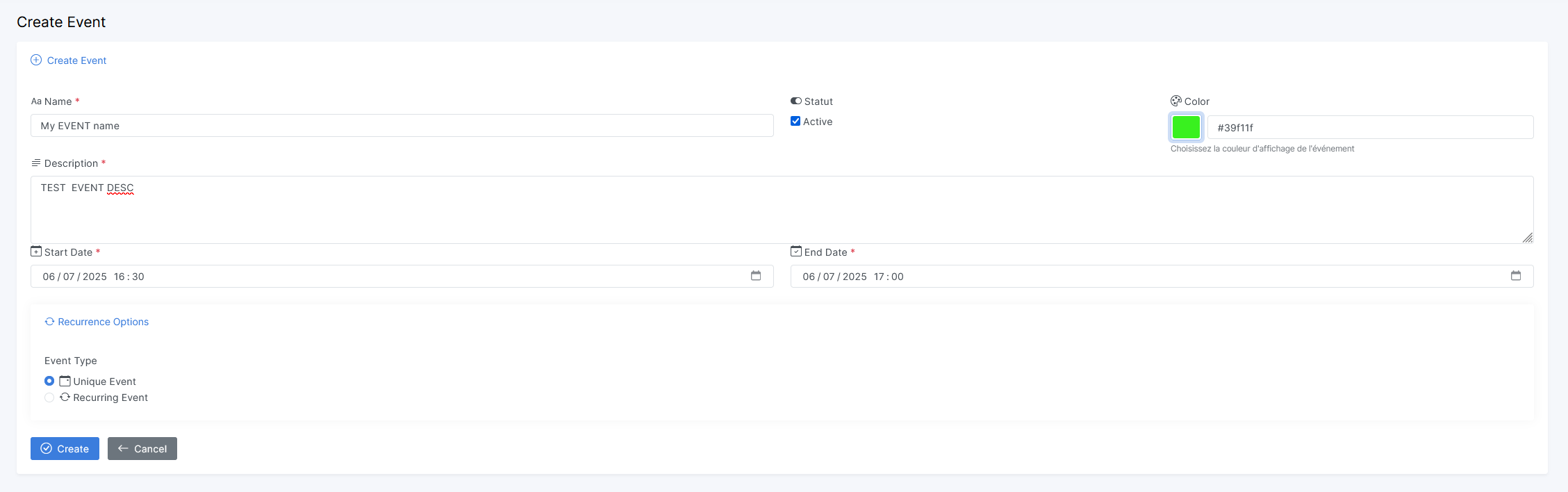
- Create, edit, enable, disable, and delete events.
- Manage recurring series and individual occurrences.
- Browse past events.
- Configure categories, colors, and action buttons.
- Manage Discord webhooks and review reminder history.
- Access public events through the API, with date and category filters.
👥 User View
24-Hour Format
12-Hour Format
🛠️ Admin View
💬 Discord Integration
✅ Final Result
Kopen
Paid extensions are made by third-party developers and Azuriom does not take any commission on sales.Informatie
- Auteur: Vexato
- Type: Plugin
- Versie: 1.5.0
- Downloads: 114
- Vrijgelaten: juli 6, 2025 at 2:34 's middags
- Bijgewerkt: oktober 30, 2026 at 9:13 's ochtends