User Notes
Private player dossiers for your staff, with tags, pinned notes, granular permissions and revision history.
Keep your staff informed. Keep every player's context in one place.
User Notes adds private player dossiers to your Azuriom website. Record support follow-ups, moderation reminders and billing information so your team knows what happened before replying.
Whether a player needs help again or another staff member takes over, the relevant information stays attached to the right account.
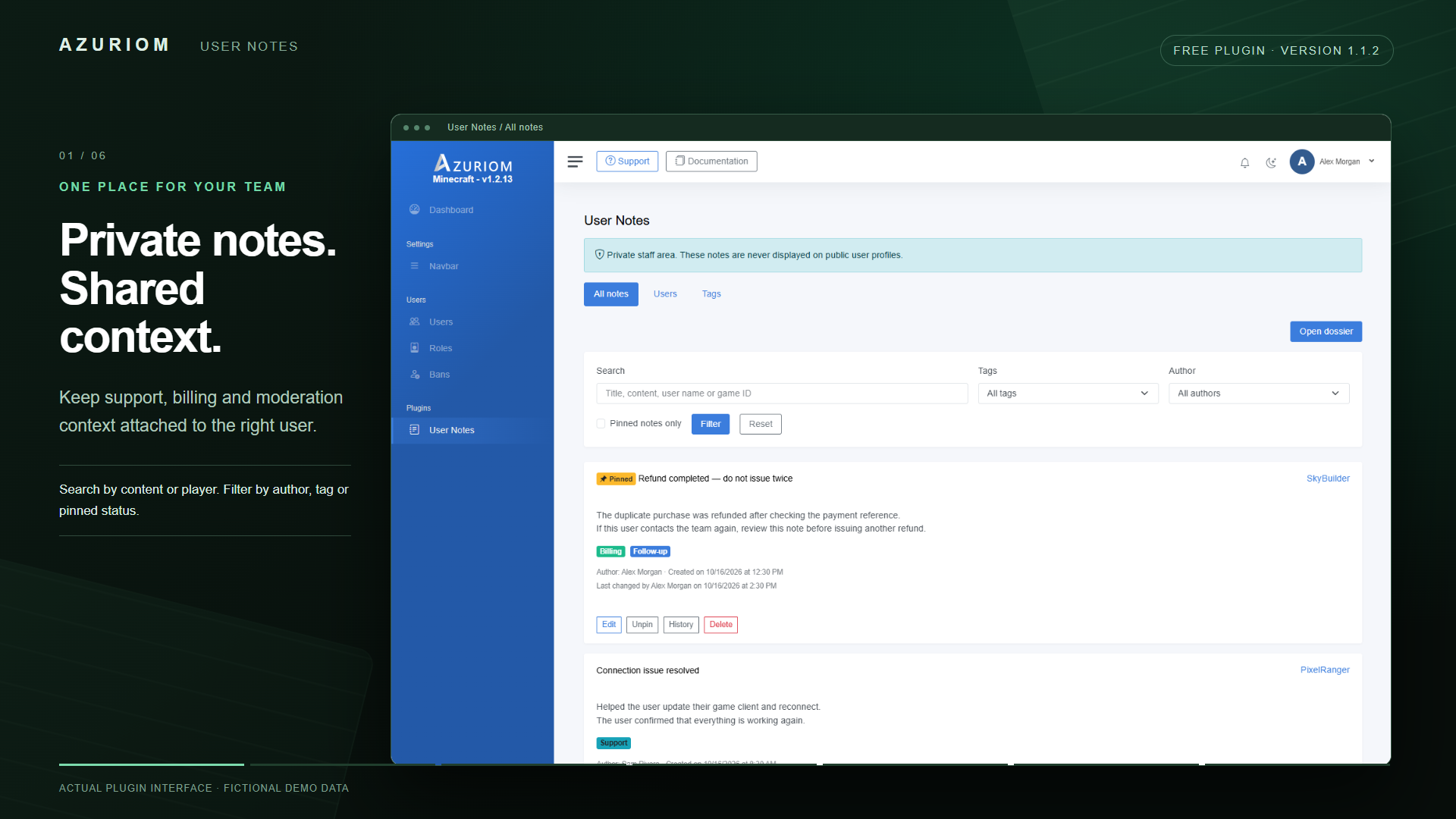
Private notes for your team
- Create notes with a title and up to 10,000 characters of content.
- See who wrote each note and when it was created or modified.
- Pin important notes to keep them at the top.
- Assign up to 10 tags per note.
- Open a player's dossier directly from their administration profile.
Notes are available to authorized staff through the administration panel and are never displayed on public player profiles.
Find information quickly
Search notes by title, content, player name or game ID. Combine your search with filters for tags, authors and pinned notes.
The player directory also lets you find accounts by name, account ID or game ID—including players who do not have notes yet.
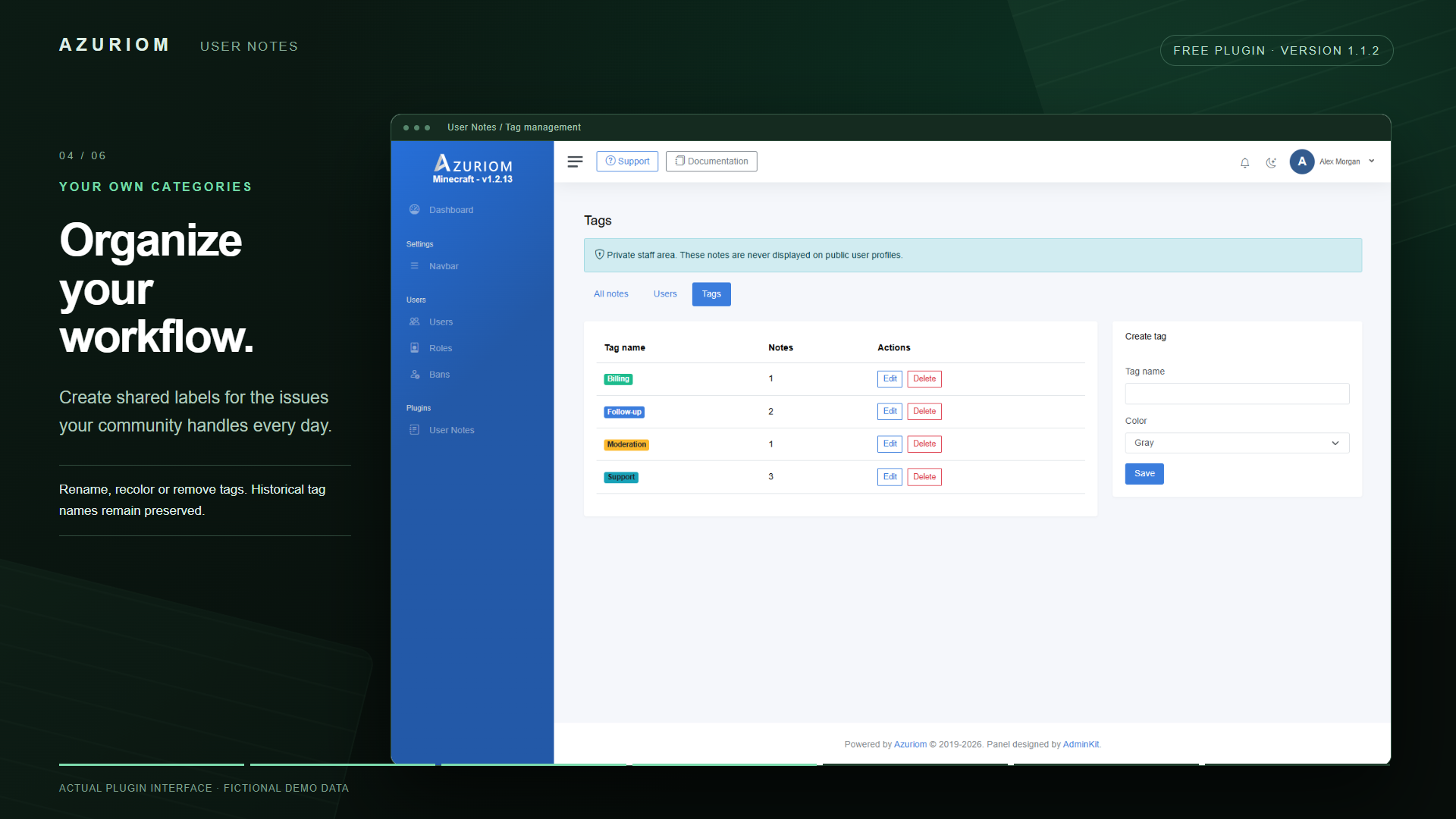
Organize your workflow
Create shared tags such as Support, Billing, Moderation or Follow-up. Choose their colors, rename them whenever needed and keep your team's records organized.
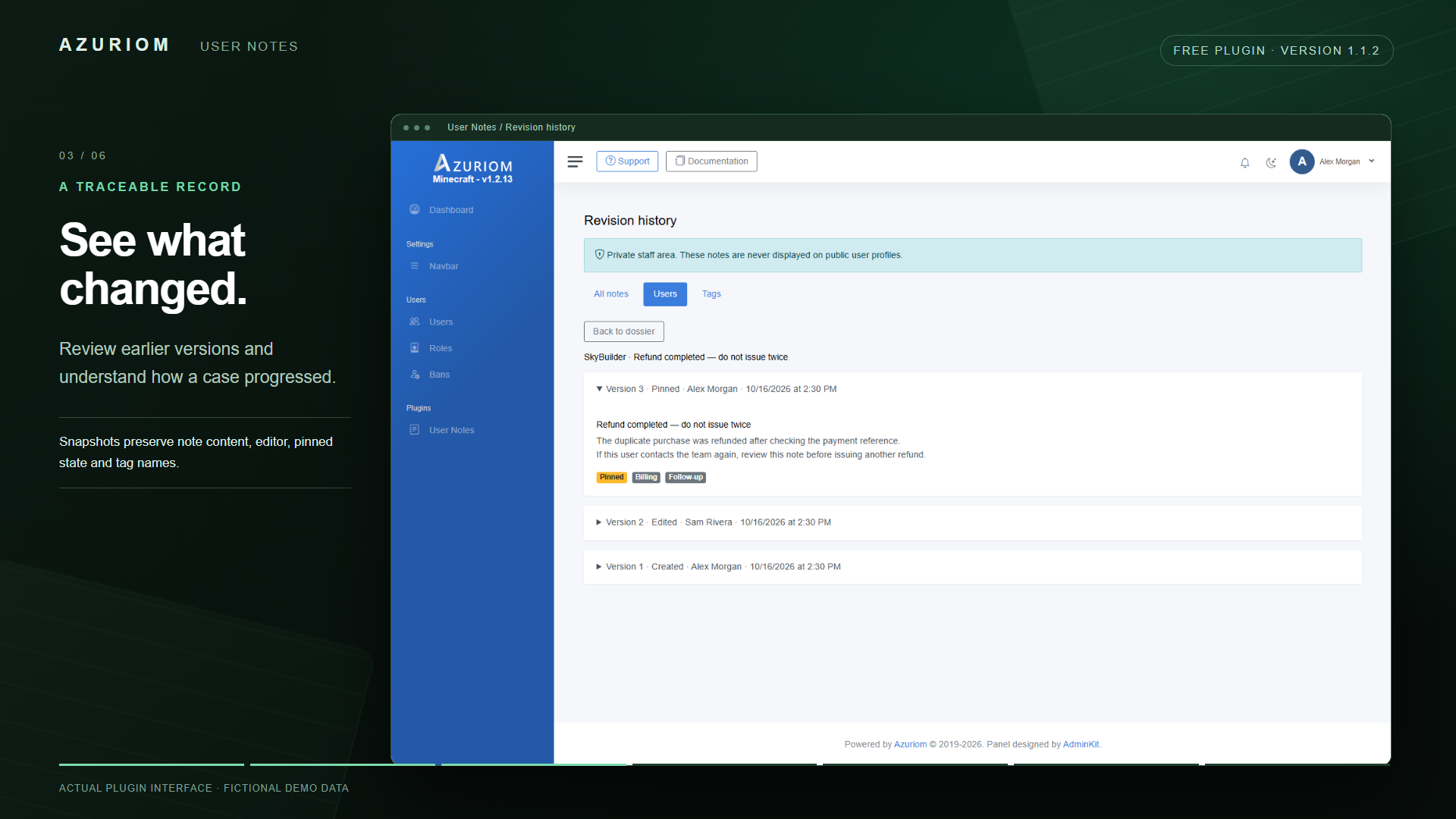
Follow every change
The revision history records previous versions of each note, including its content, editor, tags and pinned state.
Protection against simultaneous changes prevents an outdated edit from silently overwriting a newer version saved by another staff member.
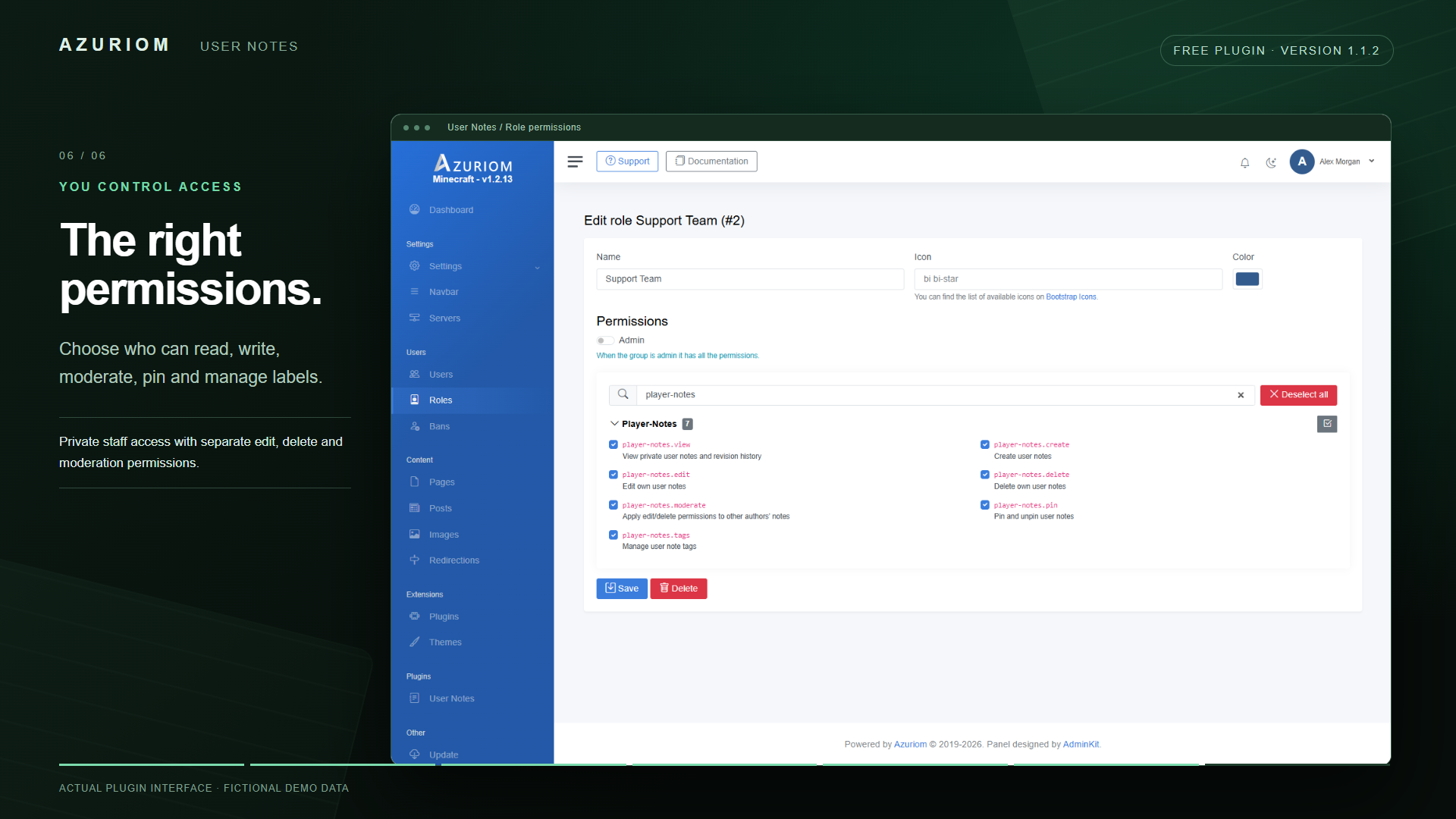
Control staff permissions
Use Azuriom's role permissions to decide who can:
- Read notes and revision history.
- Create notes.
- Edit or delete their own notes.
- Moderate notes written by other staff members.
- Pin and unpin notes.
- Manage shared tags.
Available in eight languages
The interface automatically follows your website's configured language:
English · French · German · Spanish · Brazilian Portuguese · Dutch · Polish · Russian
Simple installation
Install and enable User Notes, configure your staff permissions, then open a player's dossier to start writing. Built with Bootstrap 5, using Azuriom's existing administration layout. No additional service, API key or subscription is required.