Music Uploader
Allows users with specific roles to upload music.
🎵 Music Uploader plugin for Azuriom
A user-friendly plugin for CMS Azuriom v1.2+ that allows your server players to upload their own music tracks directly via the user dashboard. An excellent solution for integration with in-game radio stations, voice chats (Voice Chat), or jukeboxes in Minecraft.
✨ Features
- 🔒 Role Permissions: Upload access can be granted to specific roles/groups (e.g., VIP, Premium) via the Azuriom admin panel.
- 🎛️ Built-in HTML5 Player: Ability to preview and listen to uploaded tracks directly on the website without downloading.
- 📋 One-click Copying: A convenient button for instant copying of the direct audio file link to paste it into the game.
- 🛠️ Moderator Panel: A dedicated admin dashboard to view and delete music files.
- 🌐 Multilingual Support: Full support for both Russian (
ru) and English (en) languages.
📸 Screenshots
| User Dashboard | Admin Panel |
|---|---|
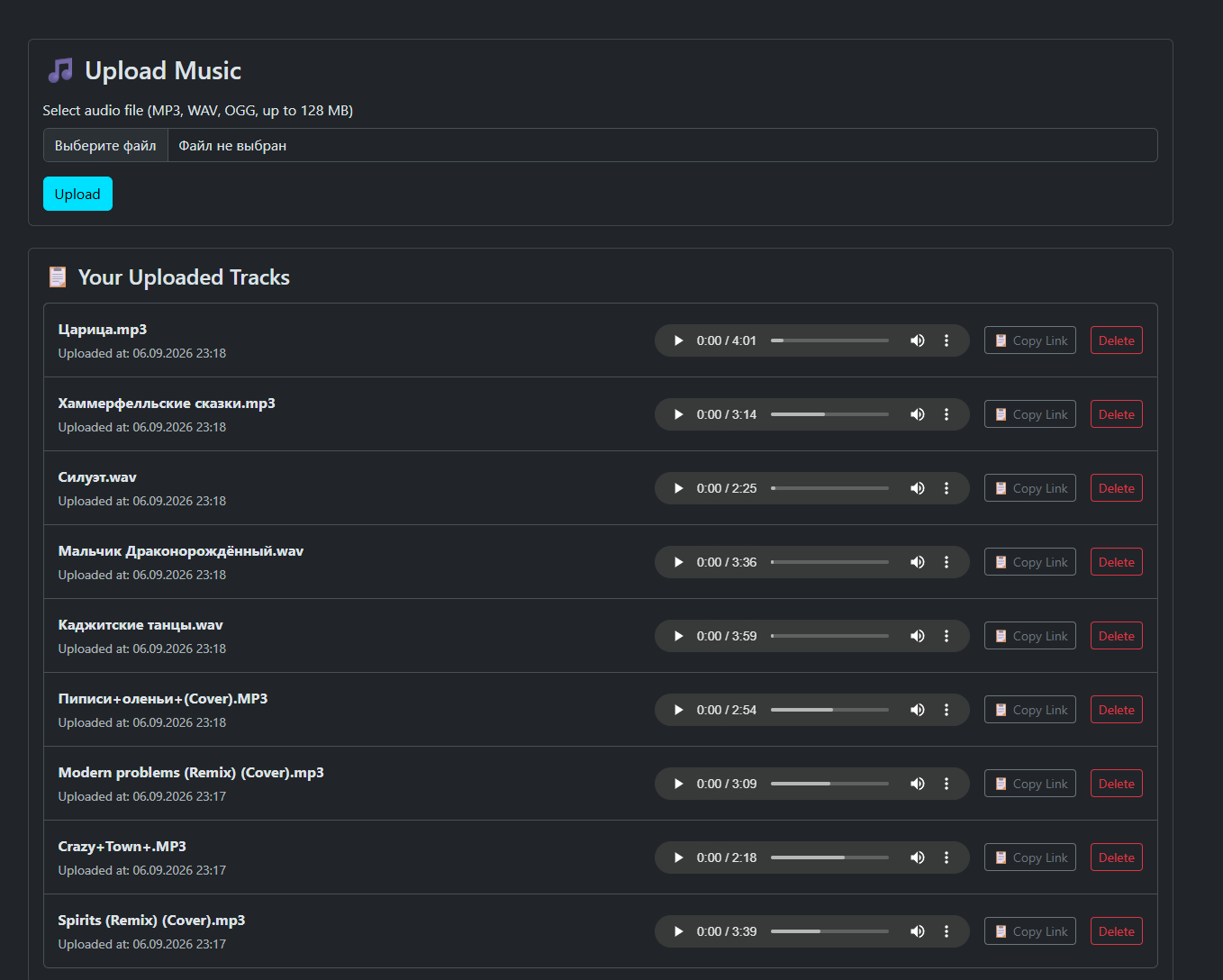 |
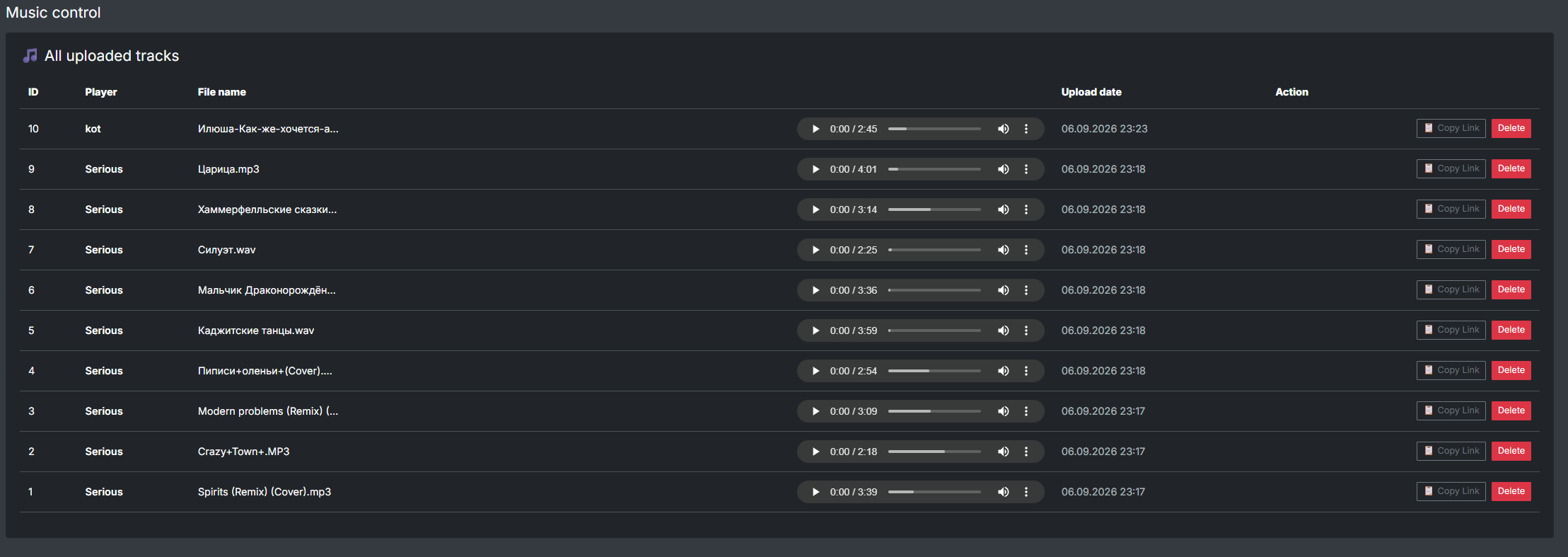 |
🚀 Installation
Enabling the Plugin
- Go to Azuriom Admin Panel ➔ Plugins.
- Find Music Uploader in the list and click Enable.
- You can find the upload page at this address: your-domain.com/musicuploader
Web Server Configuration (Recommended)
Since music files can be large, make sure to set sufficient limits in your php.ini:
upload_max_filesize = 64M
post_max_size = 64M
memory_limit = 256M
After changing the settings, restart your web server (Apache/PHP-FPM).
⚙️ Permissions Setup
- Go to Admin Panel ➔ Users ➔ Roles.
- Edit the group you want to grant music access to.
- Check the box next to the permission: Music Upload.