Polls
A lightweight plugin that lets admins create polls and users vote on them, with live results, multiple-choice support, and open/close controls.
Polls - voting plugin for Azuriom
This plugin adds a "Polls" section to your website:
- registered users can see the list of polls and vote (single or multiple choice, configurable when creating a poll);
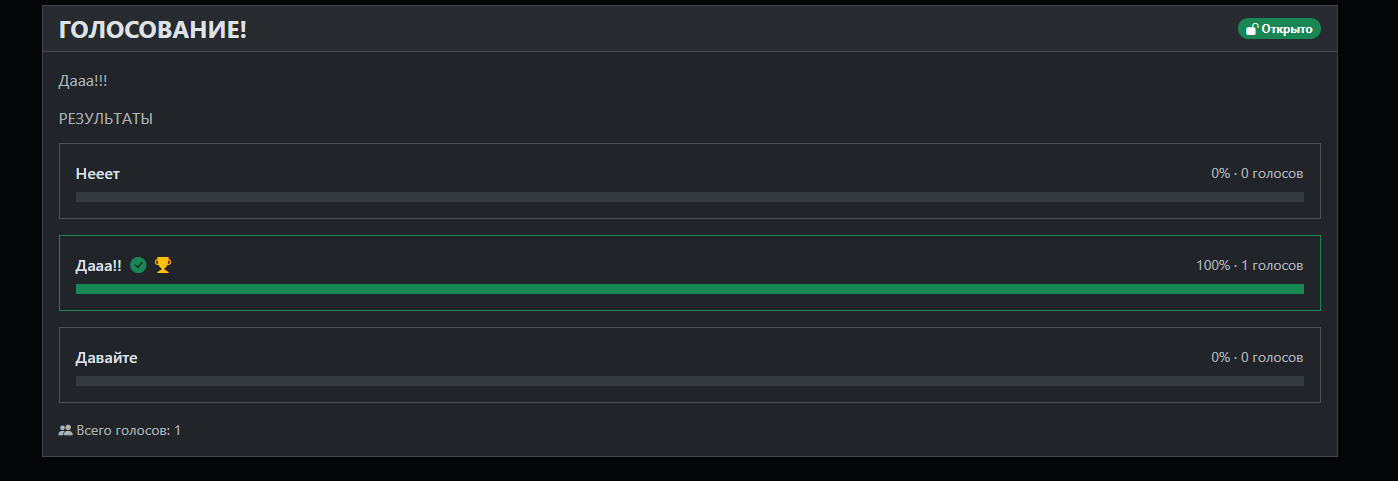
- results are displayed as progress bars with percentages and vote counts;
- administrators can create polls, add/edit/remove options, open and close polls, and delete polls entirely.
Installation
- Copy the
pollsfolder into theplugins/directory of your Azuriom website (the final path should beplugins/polls/plugin.json,plugins/polls/src/..., etc.). - Go to the Azuriom admin panel -> "Plugins" and enable the Polls plugin.
On activation, Azuriom will automatically run the migrations and create the tables:
polls_pollspolls_poll_optionspolls_poll_votes
- If the migrations did not run automatically, run on your server:
php artisan migrate
Usage
For administrators
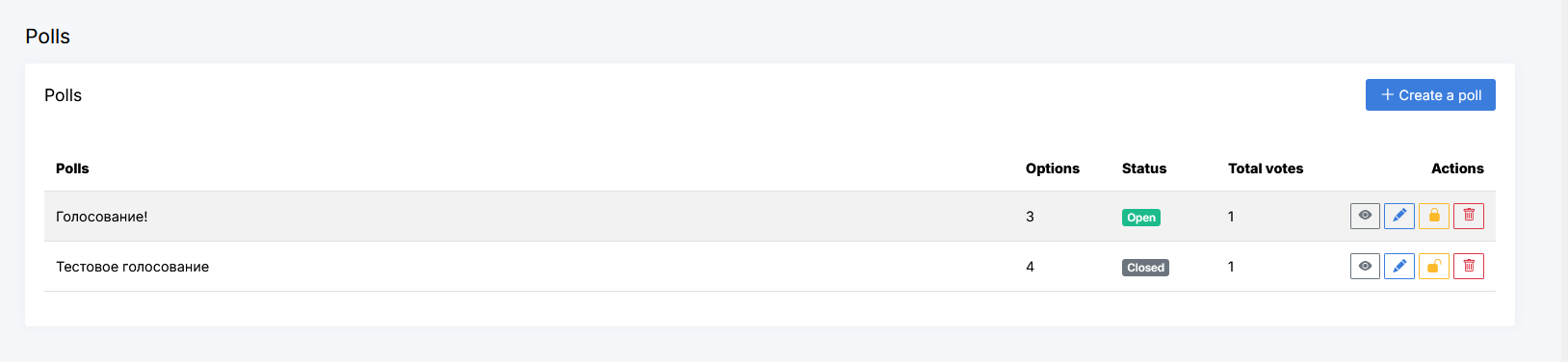
- A new section appears in the admin panel: Polls (
/admin/polls). - "Create a poll" lets you set a title, description, and at least 2 options, and optionally enable "Allow multiple choices".
- From the polls list you can:
- open/close a poll (lock button) - once closed, users only see the results and can no longer vote;
- edit a poll - change the title, description, option labels, add new options, or remove old ones (at least 2 options must remain);
- delete a poll entirely (along with all its votes).
For users
- A "Polls" link is automatically added to the user navigation menu.
- The
/pollspage shows the list of all polls with their status (Open/Closed). - On a poll page (
/polls/{id}):- if the poll is open and the user hasn't voted yet, a voting form is shown;
- after voting (or if the poll is closed), the results are shown as progress bars.
- Each user can vote only once per poll (a second attempt returns an error).
Permissions
The plugin registers a polls.admin permission. Grant it to the moderator/administrator
role so it gets access to the "Polls" section in the admin panel.
Project structure
polls/
├── plugin.json
├── composer.json
├── src/
│   ├── Providers/
│   │   ├── PollsServiceProvider.php
│   │   └── RouteServiceProvider.php
│   ├── Models/
│   │   ├── Poll.php
│   │   ├── PollOption.php
│   │   └── PollVote.php
│   └── Http/Controllers/
│       ├── PollController.php          (front-end)
│       └── Admin/PollController.php    (admin panel)
├── database/migrations/
│   └── 2026_06_12_000000_create_polls_tables.php
├── routes/
│   ├── web.php
│   └── admin.php
├── resources/
│   ├── views/
│   │   ├── index.blade.php
│   │   ├── show.blade.php
│   │   └── admin/
│   │       ├── index.blade.php
│   │       ├── create.blade.php
│   │       └── edit.blade.php
│   └── lang/{en,ru,fr}/
│       ├── messages.php
│       └── admin.php
└── README.ru.md / README.en.md
Possible improvements
- Limit polls visibility by user role (e.g. VIP only).
- Automatic poll closing date.
- Notifications about new polls.
- Export results to CSV.