Jobs
Staff application system with a customizable form and processing workflow.
Jobs is an Azuriom plugin to manage staff applications directly on your website with configurable forms, moderation workflow, and notifications.
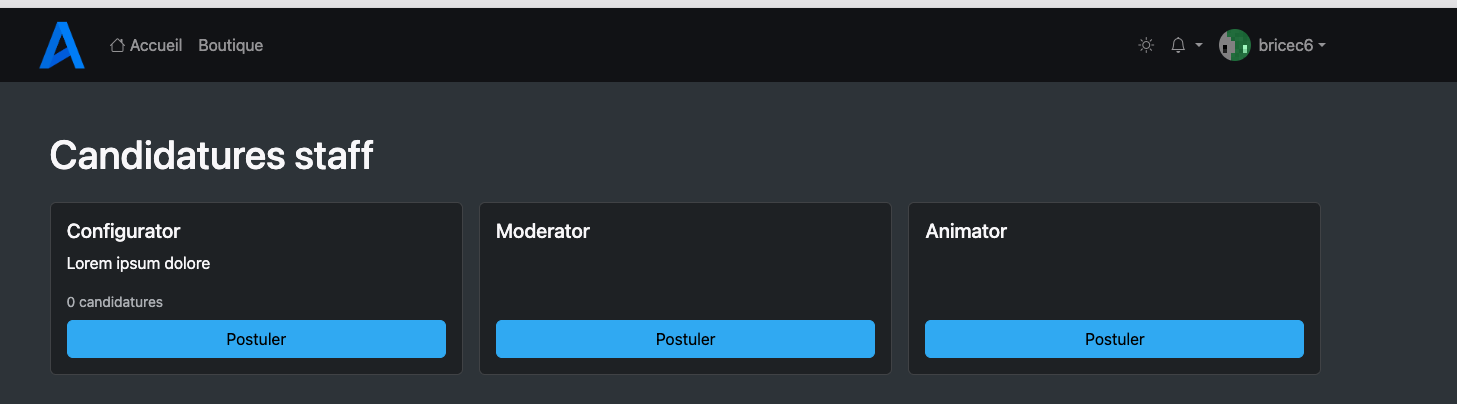
Players can apply for open positions, track their own application status, and cancel active applications.
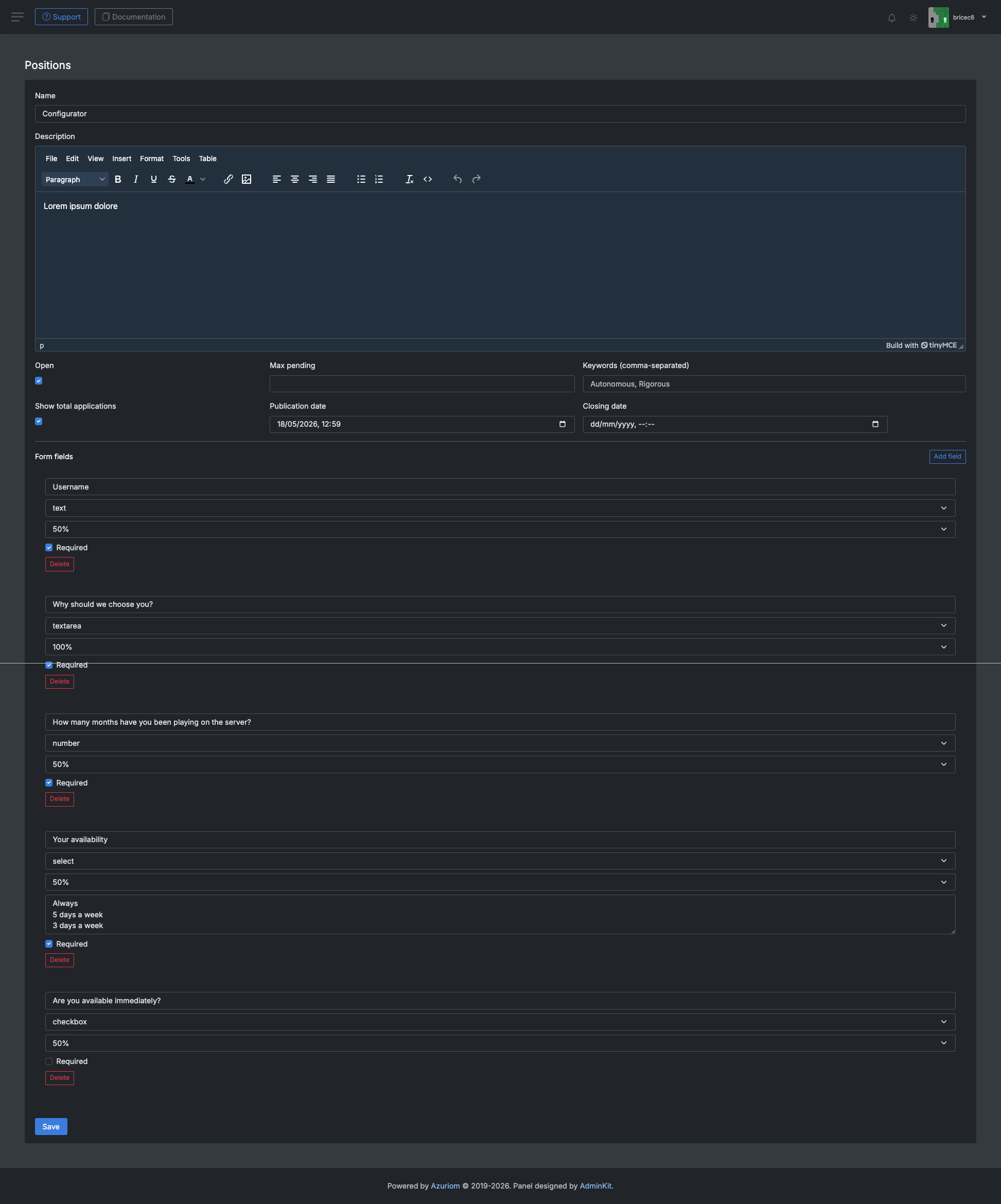
Admins can create positions, define custom fields, review applications, update statuses, and notify applicants by email.
Summary
Available langs


If your language is not available ? Contact me on discord
Features
Job management
- Create and edit recruitment positions from the admin panel
- Open/close each position with:
- publication date
- closing date
- Optional display of total applications on frontend cards
- Keyword tags per position (displayed as badges)
- Default starter positions:
- Configurateur
- Modérateur
- Animateur
Lifecycle
- Status workflow:
pendingreviewingacceptedrefused
- One active application per user per position (
pendingorreviewing) - Player can cancel an active application and submit a new one
Notifications
- Email notification sent to player when admin updates status
- Optional Discord webhook on new application submission
Admin workflow
- Create/edit positions
- Configure custom fields for each position
- Review incoming applications with filters:
- by position
- by status
- by player name
- Update status and internal note
- Delete applications if needed
- Configure optional Discord webhook in plugin settings
Player workflow
- Browse available positions on
/jobs - Open a position and submit application (authenticated users)
- Track status on personal application page
- Cancel active application if needed and reapply
Permissions
jobs.manage: grants access to Jobs admin features

 Support: https://discord.com/invite/Gh2yBxUWvV
Discord: https://discord.com/invite/Gh2yBxUWvV
Support: https://discord.com/invite/Gh2yBxUWvV
Discord: https://discord.com/invite/Gh2yBxUWvV
ServeurListe partner
 Website: https://www.serveurliste.com/ Discord link: https://discord.gg/k9eMX76J8q
For any business invoice requests, please provide your legal information on my Discord (open a ticket).